A button gets pressed. Something happens. You explain why getting those two things to cooperate took longer than you expected. There is an AutomateNI demo in that.
It can be a script that does one tedious job, a homemade controller, a workflow you are trying at work or a bit of hardware built for the sheer amusement of it. The room needs enough context to follow what you tried. It does not need you to arrive with a finished product and a rehearsed answer to every possible question.
Pick the bit you would show a friend
Start with the moment the project becomes understandable. If you made a file tool, show the untidy filenames and the preview of what they will become. If you built a physical control, use it. Give people a result they can see before asking them to keep track of the components behind it.
Then explain what made you bother. Perhaps a job kept eating the last half-hour of somebody’s Friday. Perhaps a particular screen was awkward to use. Perhaps the idea of a door playing a sound effect was funny enough to make you investigate it. All of those are recognisable starting points. “Improving operational efficiency” is much harder to picture.
Choose one example you can follow from beginning to end. Ten to fifteen minutes goes quickly when you have to explain a tool, run it and leave room for questions. You can mention the other features afterwards. Opening six dashboards before anything happens is a reliable way to lose the person who has never seen any of them.
Be specific about what you know. If you have measured time saved, say how. If it has only worked on your laptop with one sample file, that is useful information too. The audience can ask much better questions when they know which version they are looking at.
Let people see the awkward middle
The output is satisfying, but the decision just before it often makes the better conversation. Show the proposed filename before the rename. Show the condition that stops a light coming on in daylight. Show the draft waiting for someone to check it. This is where another person can spot the assumption you have stopped noticing.
For a Node-RED flow, the Debug node can show the message properties passing through a step. A script might print a short preview. Other tools have their own logs or run histories. Choose the smallest view that explains the decision, and make its text large enough to read without squinting.
Use made-up records for people, addresses and requests. Close the tabs and panels that could reveal a password, customer detail or private message. It is easy to forget how much a screen shares when you are concentrating on getting the demo to run. Preparing a small set of sample data also makes it easier to repeat the same test when somebody asks what would happen if one value changed.
Try an awkward input while you are preparing. A missing field. A second button press. A device that briefly loses its connection. You may find something worth fixing, or something worth bringing to the room as an open question. Either gives the explanation a little more substance than a perfect run through the happy path.
Sources: Node-RED: working with messages.
Hardware needs a view from the back
If the interesting part is a tiny light on a board, think about how someone at the back will see it. A camera view can help, as can putting the state on a larger display. Explain what the light means in words. People should not have to distinguish two colours to know whether the action happened.
The same applies to sound. A visible change alongside the audio gives people another way to follow it, and a quick explanation before a loud effect saves an unpleasant surprise. Let the organiser know about audio, moving parts, power needs or anything else that affects the room. A useful demo can use a harmless stand-in for a real action: update a local display instead of operating a device people depend on.
Bring the practical bits that make your version work. The cable, the adapter, the sample file that is actually on the laptop rather than somewhere in a cloud account. Ask about the display connection before the night. There is enough to think about while presenting without discovering that the only adapter is still attached to your monitor at home.
What if it breaks?
Have a way to keep explaining. A short recording, a couple of clear screenshots or the saved output can carry the useful part of the demo if the network disappears. Tell people when you switch to it. A recording of the thing working is still worth discussing, especially when you can point out the detail you wanted them to notice.
You can also bring something that has never worked properly. Give the room the expected behaviour, what happens instead and the smallest example that reproduces the problem. “It is unreliable” leaves everyone guessing. “The second event creates another task even though the first one succeeded” gives people something to investigate.
If you have already fixed it, show the old and new behaviour with the same input. If you have not, leave the question open. You do not owe the room a tidy lesson about perseverance. A Build Night or an Automation Clinic may be a better place to spend time on the unresolved part after the demo.
Explain it to the person who came out of curiosity
A room can contain people with very different kinds of knowledge. Someone may write software all day and know nothing about your electronics. Someone else may understand the volunteer process you are trying to help better than anyone who chose the tool.
Give new terms something to attach to. Explain that the trigger starts the process, then point to your button or incoming file. Show what you mean by a message before talking about its properties. This does not require pretending the work is simpler than it is; it gives people enough footing to follow the interesting detail.
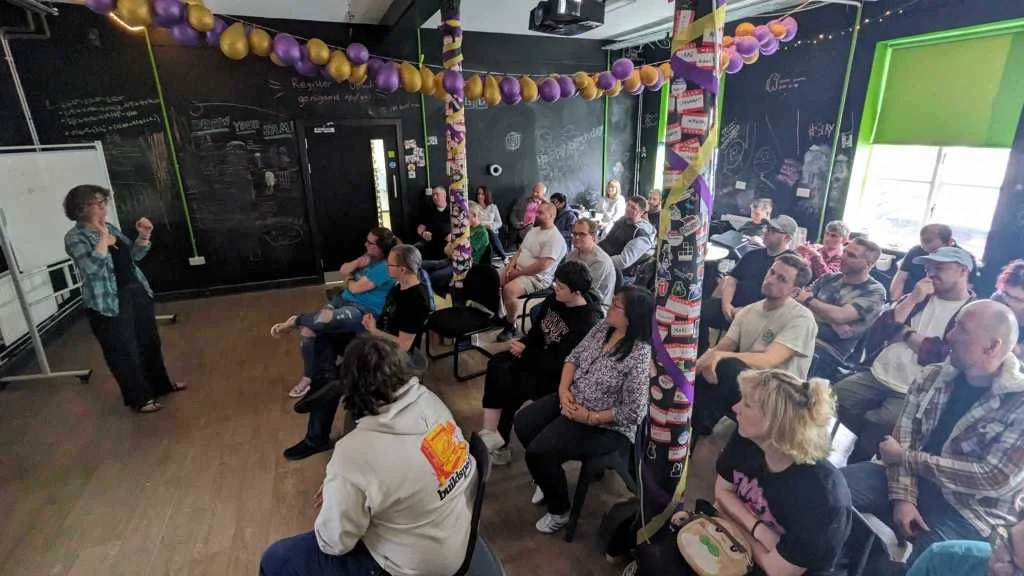
Farset Labs’ ELI5 recap is a local example of varied subjects being explained to one audience. That habit is useful here too. Leave room for a question about the starting point, even if you have already moved on to the clever bit. A person asking for that explanation may be helping several quieter people keep up.
Sources: Farset Labs: ELI5 returns.
Send the rough description
A public repository is welcome, but it is optional. A build note can be useful with a description of the task, the tools, one example and the part that surprised you. Check what you have permission to share if the original work belongs to an employer, a client or another group. A public demo does not need their real records.
To suggest a talk, tell us what you made, what you would show and any practical requirements. If you would rather share a project without standing up in front of the room, use the project-submission page instead. Both are useful contributions.
The first nights are still in planning, so the organiser will confirm the date and arrangements. You do not need to polish your idea into a pitch deck before getting in touch. A paragraph beginning “I made this because it was annoying me” gives us plenty to work with.
Sources and further reading
- Farset Labs: ELI5 returns. An example of explaining varied subjects to a local audience; Farset’s October 2024 event recap.
- Node-RED: working with messages. Inspecting the information that travels through a flow.