- InputConfirmed title, date, venue and speaker facts
- PrepareDraft the website entry and supporting material
- ReviewOrganiser checks facts and approves each channel
- PublishKeep one permanent event URL and an update log
The venue changes, and now the website, the booking page and the reminder disagree. Anyone who follows the old link still needs to get to the right room. That is the kind of problem an event workflow should help you handle.
This guide works through a hypothetical community night, from the details you can confirm to the follow-up you can honestly publish. It is also a checklist for the person doing the organising. Some jobs still need someone to check the room, speak to the speaker or find the missing cable.
Keep confirmation, approval and publication separate
An event workflow is a way to move checked details between planning, booking, announcements and follow-up. It cannot confirm a venue or approve a speaker for you. This walkthrough uses a hypothetical community night; it does not announce an AutomateNI date.
Create a record with a stable ID, title, format, date status, venue status, organiser role, booking link and publication approval. Leave unknowns visibly unconfirmed. A missing date is a reason to stop an announcement, not a space for the workflow to fill.
When the organiser approves the record, create a website draft and an announcement draft that both point back to it. Let the organiser compare them with the booking page. Keep the website URL stable if details change.
Do not add attendees to a newsletter automatically. Booking, asking a question and choosing future community updates are different actions. Keep the permission for each purpose with its source.
Use a new record revision when a date, venue or access detail changes. Stop pending reminders, review the changed copy and decide who needs a correction. Record cancellation explicitly; removing the page alone leaves old links and messages unexplained.
For practice, send a duplicate event in Trigger Lab, then try an approval-gated event. The action count should help explain why one event ID and one approval outcome matter.
After the event, prepare a recap task for the organiser. Confirm what actually happened before writing attendance, speakers or outcomes. Select only photographs with publication permission and preserve the photographer’s attribution.
Test an unconfirmed venue, a missing booking link, a duplicate record, an edit after approval and a failed destination. The output you want is a reviewable record with a clear owner, not a claim that every channel has been updated.
Map the event record before the announcement
Give your imaginary event an ID such as EVT-TEST-01. Put its title, format and organiser role in the record, then add separate fields for a proposed date and a confirmed date. Do the same for the venue. A planning conversation often contains possibilities that sound settled when copied into promotional text. Separate fields make that difference harder to lose.
Include the details an attendee actually needs: location, start and finish time, cost, booking route and a way to ask about access. Keep a source or owner for facts that need checking. If the organiser is waiting for an answer about step-free access, the automation should preserve that uncertainty and create a follow-up task. It cannot turn a blank field into a reliable promise.
A community event may involve several organisations, but the record still needs one publication owner. That person decides when the details are ready to announce and who checks the draft. Sponsorship, venue support and programme approval are different responsibilities. Write them down so a helpful automation does not accidentally give a supporter control over the attendee list or the programme.
Turn the record into a small set of useful outputs
Start with a website draft and a checklist for the organiser. The draft contains the checked public facts. The checklist covers the remaining work, such as asking the speaker to confirm a description, checking the booking link and preparing equipment. Keep internal notes out of the public fields so the publishing step does not need to guess what is confidential.
If that works, create a short email draft from the same approved record. Review the actual rendered message, including its links. A correct date in the source can still become an incorrect date after formatting, particularly if one tool uses a different timezone. Put the complete human-readable time in the review screen and compare it with the booking destination.
Avoid using the automation to announce the event before the organiser has made that decision. An explicit approval action can represent the hand-off, as Microsoft's example shows. The surrounding process must say which version was approved and what happens if someone changes it. A checked box without that context is a weak publication control.
Sources: Microsoft: create and test an approval workflow.
Prepare for an ordinary last-minute change
Suppose the room changes after a reminder has been queued. Update the source record, identify the outputs that used the old room and pause the unsent messages. The organiser can then correct the website and decide who needs a direct update. Keep the existing event URL useful so somebody following an older link can still find the latest information.
A cancellation needs an explicit public state. Leaving a stale booking button is confusing, but simply deleting every trace can be confusing too. Keep enough information to explain that the event is cancelled and point people to the appropriate contact route. Do not automatically invent a replacement date or carry an old booking into a new event.
Test the change path before the first public announcement. Use a fictitious room name, approve the draft and then change the room. You should be able to see which approval became stale, which message was paused and which person must check the correction. This rehearsal usually tells you more than creating another perfectly ordinary event record.
Build the day-of checklist for a person
Some event jobs belong on a checklist rather than in an unattended workflow. Confirm who opens the room, who welcomes people and who can help with the display or sound. Put contact arrangements where the people running the event can access them, without copying personal details into a public page or demonstration.
Automation can prepare that checklist from the approved record and remind its owner to check it. It cannot confirm that a cable is in the room or that a speaker has arrived. Use explicit human updates for those states. A printed copy can be useful if the network is unavailable, provided it is handled appropriately and collected afterwards.
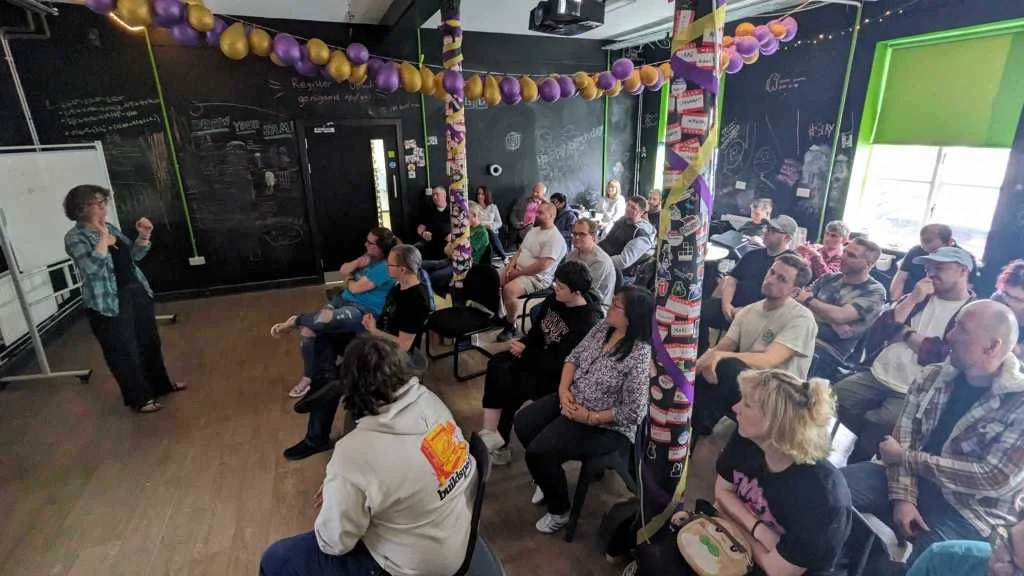
Keep the programme flexible enough for a failed demo. A speaker can still explain the input, the intended result and what stopped working. That is consistent with AutomateNI's Show & Tell approach. The event process should make it easier to share the work, not demand that every experiment behave like a finished commercial product.
Collect the material you can honestly publish
After the event, create a draft recap with empty places for confirmed speakers, links and approved photographs. Ask the organiser to fill those from what actually happened. Do not automatically turn registration totals into attendance, or a proposed talk into a talk that definitely took place. Keep any estimate labelled as an estimate.
A build note can link to the speaker's public repository or a short explanation they approved. Record photo credits when the files arrive, because finding the photographer weeks later is harder. Then close the event's temporary tasks and review what the workflow missed. The next version should reflect the awkward detail you encountered, rather than adding more channels simply because they are available.
Sources and further reading
- Microsoft: create and test an approval workflow. Primary documentation showing an explicit approval step and its outcomes.
- n8n: handling workflow errors. Primary documentation for failure workflows, rather than evidence of a particular time saving.
Continue with
- Workflow automation: start with the job nobody wants to do twice
- Task automation: start with the small job you keep putting off
Write your version in the Workflow Planner, then review the failure path with the person who will own it.
Open the tools